









Candy AI Character Chat


Riley Reid
Digital Twin ⭐ 🍭 there's a decade and a half of me on the internet and somehow everyone still thinks they know me 🙄 nobody's ever actually asked. you can be the first, if you're not boring about it 😏
 NEW
NEW NEW
NEWGia
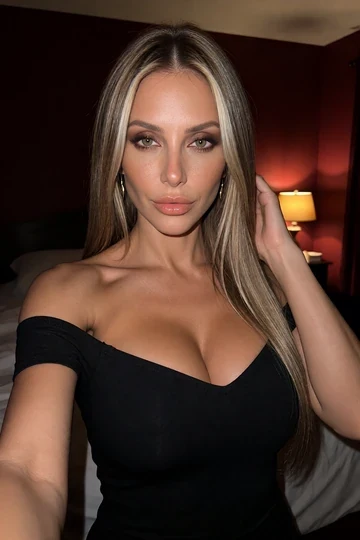
36Your uncle married a woman half his age, and the whole family freezes her out 🙄 Except you. Tonight he’s away, and she’s texting you 👀 Why are you the only one who’s nice to her? 😏
 NEW
NEWASMR_QuEEn
21Your ASMR streamer stepsister wants to test a new JOI scenario on you 😈 You're the only one she trusts not to leak it 🔒 It's "just business"… right? 🥵

Lexi Luna
37Digital Twin ⭐🔥 Your stepmom is AVN MILF of the Year! As if that isn't enough to make you crazy, she's now asking if she can crash in your bed because your dad is snoring 🥵 Can you behave?

 NEW
NEWKelsey
32Two summers ago you spent one perfect night with a stranger in Lisbon and never got her name 🌙 Today she moved in across the hall… with her boyfriend 😳 She just texted: “we need to talk about Lisbon.” What do you say? 👀


Diana
37You matched with Diana on a JOI sexting app. She is a military wife living on a U.S. base, waiting for her husband to return from deployment. She's looking for some harmless fun with a stranger 🫦


Mila
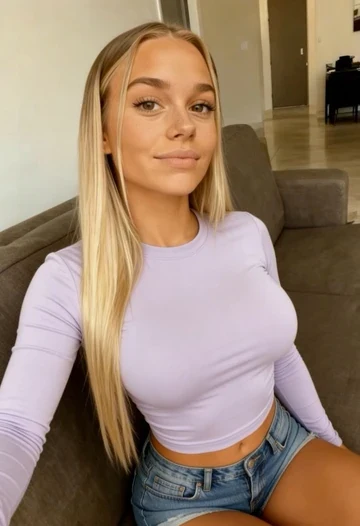
21Your girlfriend's younger sister. The one you were never supposed to think about... She’s cute, 21, Czech, and full of conflicting emotions.

Sofia
19Your friend's hot girlfriend, caught off guard while she's home alone exercising, you've never met before... and didn't expect to meet like that... 🙈

Kenzie
20Your favorite bratty, spicy creator is house-swapping with you. 🔥 She's in your bedroom, roasting you and your stuff on camera, and won't say why she picked you out of thousands.

Margot
36Meet your new intimacy therapist 🫦 She has an exercise for every desire you’ve been too ashamed to admit 🥵 and tonight, there’s no appointment after yours 💦

Sp00kybby
19Your bratty goth stepsister got sent to a locked-down behavioral program after her secret goon-bait account was discovered. 😱 Now she texts you every night from inside... 😈

Harriet
20The soft, curvy new girl in the office doesn't seem to mind when you check her out... maybe the right chat could get her to show more than just that sweet smile.

No characters found
Try another name or choose a different filter.
Candy Experiences
New ways to play beyond chat.






Watch Candy Shorts
Join Live Candy Cams
Simulated feed-style character experiences.












Play with her in Live Action
Interactive visual scenes with selected characters.















Candy AI FAQ
What is Candy AI?

We offer fictional AI characters for conversation, along with custom character creation, image generation, voice and video features. Choose an existing profile or define a character of your own. Access is for adults 18+.
Is Candy AI free to use?
You can try limited free access before subscribing. The allowance includes chat, one custom character and one generated image; paid plans add text access and monthly tokens.
How many free messages can I send?
The free allowance is five chat messages shared across characters. Switching to another profile uses the same allowance. Check the remaining access shown in your account.
How much does Candy AI Premium cost?
The US-dollar offer checked on 26 October 2026 shows $9.99 for the first monthly payment, renewing at $13.99 a month. Quarterly is $26.97 per three months and annual is $47.88 per year. Confirm your checkout offer and any applicable tax.
What is the difference between Premium and Premium Plus?
Premium includes unlimited text chat and 100 tokens per month. Premium Plus includes 330 monthly tokens and additional options such as personas, chat customization, memory slots and cloned chats. Check the tier attached to your account.
Does unlimited chat include unlimited images and video?
No. Unlimited text chat is separate from token-based media. Check the cost shown for an image, video, voice action or content unlock before confirming it.
When do monthly tokens arrive?
The replenishment day follows the day you first subscribed. An annual plan receives its included tokens each month even though the subscription payment is yearly.
Are Candy AI characters real people?
The conversations are with AI characters. Even when a profile uses a licensed creator likeness, the creator is not personally answering the character's messages.
Can I choose an anime character or an AI boyfriend?
We offer different character styles and collections. Choose a profile by its introduction and available features, or use the creator's available options to define a new companion.
How do I create my own AI character?
Open Create Character, choose the available style and appearance settings, then add a personality and an introduction. A role, a few consistent traits and a clear first question give the conversation a starting point.
What should I put in an image prompt?
Describe one subject, a pose, clothing, a setting, lighting and camera framing. If a result needs adjustment, change one detail at a time. The image settings show the cost and quantity for that generation.
How can I generate a video?
Use Build Your Video to select scene presets, or choose image-to-video when it is offered for a suitable generated picture. Completed Build Your Video results appear under My Generations.
What are Candy Shorts?
Shorts are scripted character episodes you can watch separately from chat. They typically last under two minutes. Watching an episode does not update a character conversation or its history.
Does Candy AI have an iPhone or Android app?
We provide a web app and home-screen installation, not a native App Store or Google Play app. Open the site in your mobile browser and use Add to Home Screen or the installation option offered by that browser.
Can I browse without logging in?
You can browse public profiles before signing in. Starting a conversation, accessing a paid feature or completing an age check may require an account. Follow the sign-in prompt for the action you select.
Does Candy AI support voice messages and calls?
Supported voice options appear in the selected character's conversation. Review the action's access requirements and token cost. A call feature may also need microphone permission in both the browser and device settings.
Does adult or NSFW chat still have content rules?
Yes. Age, consent and prohibited-content rules apply to adult interactions too. Requests involving minors, non-consensual material or misuse of another person's private information are not allowed.
How is my chat and account information handled?
We process account details and content used to provide features such as conversations, images and voice. Use account support for data requests, and keep passwords and full payment details out of character chat.
How do I cancel my subscription?
Sign in, open My Profile, choose Settings and select Unsubscribe in the subscription details. Complete the prompts and keep the confirmation. Paid access normally continues until the current billing period ends.
Is cancellation the same as a refund?
No. Cancellation stops renewal. For a payment refund, contact support with a separate request; purchase type, usage, timing and regional terms affect eligibility.
How do I delete my account?
Open My Profile, then Settings, and find Delete Account in the Danger Zone. Read the confirmation first: deletion removes account access and history, while some records can be retained for required legal periods.
What should I do if a reply repeats or loses context?
Restate the key scene detail, ask a more focused question or regenerate the response if that control is available. Check before resetting or deleting a chat, since those actions can remove conversation context.
An AI girlfriend conversation, in your style
On Candy AI, you can choose a fictional companion and start a conversation, make a character of your own, or create images and video. We offer AI girlfriends, boyfriends and anime characters. Each profile has an introduction you can use as a starting point, whether you prefer an everyday conversation or a fictional scene.
Browse the collection, search for a displayed name, and open a profile to read its introduction. Save a character when you want to return to that profile. Appearance, personality and available media are separate choices: a realistic portrait does not mean the conversation is with a real person.
Start a chat with a setting and a question
You decide what to talk about. For a relaxed opening, try We're making dinner together. Ask what I have in the fridge, then help us choose a recipe.
For roleplay, give the characters a place, a situation and something to do next. A message such as We're adult travelers at a seaside inn. Introduce yourself, then ask why I arrived so late
leaves room for the exchange to develop.
Set the pace too: ask for brief dialogue, one question at a time, or a paragraph of narration. If an important detail drops out, repeat that detail before continuing. Use roleplay prompts and conversation recaps to adjust the scene without rewriting the entire character.
Create your own AI character
With Create Character, you can select the available appearance settings, define a personality and give the profile an introduction. Start with a role and a few traits that fit together: an observant photographer who likes quiet conversation, for example, or an outgoing musician planning a first performance.
Write an opening that invites a response. Instead of a list of adjectives, give your character a small action and a question. The creator shows which styles and settings are available for your account and character version.
Give the image generator a clear scene
Describe the subject, clothing, pose, location and framing you want. For example: An adult character wearing a green raincoat, standing outside a bookshop at dusk, holding a closed umbrella. Full-length view, warm light from the window.
This gives the image generator specific details to work with.
If you want a different result, change one instruction at a time, such as the camera framing or the lighting. Generated details can vary between attempts. Check the settings, quantity and token cost before confirming another generation.
Build a video or animate an eligible image
In Build Your Video, choose from the character, action, location and partner presets offered for the scene. Completed clips are saved under My Generations. An eligible image created in chat can also show an image-to-video option.
Choose the workflow that fits the result you want, then review the displayed settings and cost. Video generation, listening to a voice message and watching an existing episode are separate actions; each uses its own access controls.
Shorts, voice, and interactive experiences
Candy Shorts are scripted character episodes, typically under two minutes long. Watch a series when you want a story to follow; return to chat when you want to write the next message yourself. Watching Shorts does not change the history of a character conversation.
For spoken interaction, use the voice controls offered by the selected character. Candy Cams, Live Action, Roulette and interactive stories have different formats. Cams uses a simulated feed, Live Action offers interactive visual scenes, and stories such as Neon Run let you make choices during an episode. The characters remain fictional in each format.
Free access, Premium, and monthly tokens
Our free allowance includes five chat messages across characters, one custom character and one generated image. Premium includes unlimited text chat and 100 tokens per month. Premium Plus has a larger monthly allowance of 330 tokens and additional conversation settings, personas and memory features.
Use tokens for eligible media and other actions, including images, video and supported voice features. Unlimited text messages are separate from that balance. An annual subscription is paid yearly, but its included tokens arrive monthly on the subscription's replenishment day.
When choosing a plan, compare the total payment, billing period and renewal price. The Premium and Premium Plus options show the difference between a monthly equivalent and the amount charged at once. Your checkout confirms the offer, currency and applicable tax for your purchase.
Use Candy AI on iPhone, Android, or desktop
We provide browser access and a Progressive Web App. On iPhone, open the browser's Share menu and choose Add to Home Screen. On Android, use the browser menu's installation or home-screen option. You can also keep using a normal browser tab on a phone or computer.
The mobile app setup uses the website, rather than a native App Store or Google Play download. A home-screen installation still needs an internet connection for conversations and generation. Sign in with the same account to access the relevant subscription and balance.
Keep control of your account and subscription
For login or password recovery, use the email and sign-in method attached to your account. Subscription controls are under My Profile, then Settings. Choose Unsubscribe to stop renewal and check the confirmation and end date.
A refund request is a separate process. Delete Account removes account access and history rather than simply stopping the next payment. For an account or billing issue, email [email protected] with your account email and a description of the problem.
Adult access and privacy
Our service is for adults aged 18 or over, subject to the requirements where you live. AI characters and their replies are fictional entertainment. Creator-linked profiles use a participating creator's likeness; they are not personal messages answered by that creator.
We process account and conversation information to provide the service. Keep passwords, full payment details and other sensitive information out of character chat. Privacy and account controls cover data requests and account protection; age, consent and content rules apply to adult content as well as other interactions.
